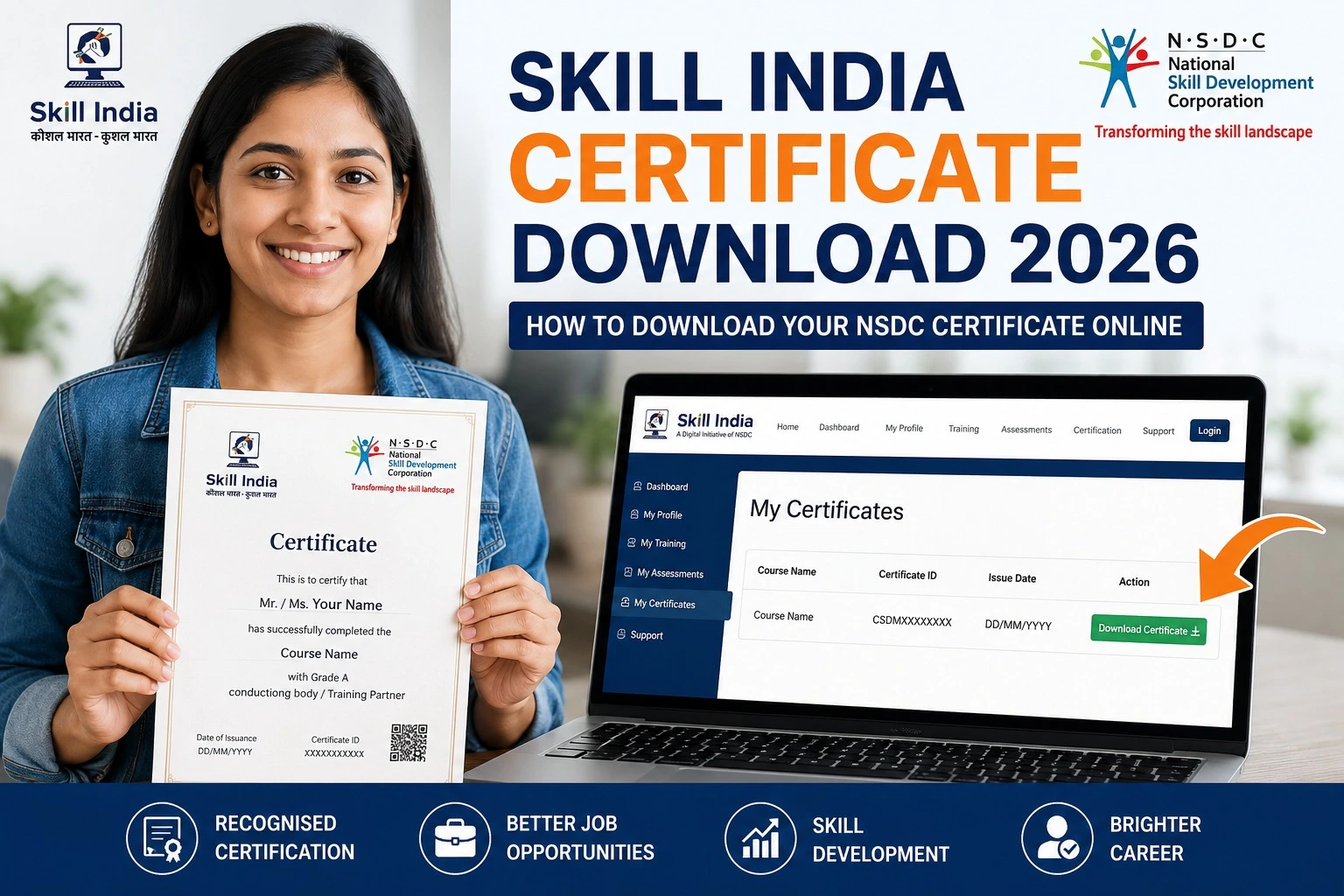
Skill India Certificate Download 2026: How to Download Your NSDC Certificate Online
India’s growing focus on skill development has helped millions of students and job seekers improve their employability through government-backed training programs. If you have successfully completed a course under the Skill India Mission, obtaining your certificate is one of the most important final steps. The Skill India Certificate is official proof that you have completed a recognised training programme and can strengthen your resume while applying for jobs, apprenticeships, internships, or higher training opportunities.
Many candidates complete their training but are unsure how to download or verify their certificate. In this guide, we explain the complete Skill India Certificate Download process for 2026 in simple language. Whether you completed training through NSDC, PMKVY, Jan Shikshan Sansthan, or another Skill India partner, this article will help you access your certificate quickly and safely.
What Is the Skill India Certificate?
The Skill India Certificate is issued after successfully completing an approved training programme under the Skill India Mission. Depending on the course and training partner, certificates are issued through the National Skill Development Corporation (NSDC), Sector Skill Councils (SSCs), or other authorised agencies.
The certificate confirms that you have completed the required training and assessment. It can be used while applying for private-sector jobs, government skill programmes, apprenticeships, and various employment opportunities where recognised vocational skills are valued.
Who Can Download the Skill India Certificate?
You can download your certificate if you:
- Successfully completed an approved Skill India course.
- Cleared the final assessment, where applicable.
- Have a registered mobile number or login credentials.
- Received confirmation from your training centre or assessment agency.
If your certificate is not available immediately after course completion, contact your training centre to confirm whether your assessment results have been uploaded.
Documents Required Before Downloading
Keep the following details ready before logging in:
| Requirement | Purpose |
| Registered Mobile Number | Login verification |
| Email ID | Account access |
| Candidate ID or Registration Number | Certificate search |
| Aadhaar (if linked) | Identity verification, where applicable |
| Internet Connection | Download the PDF certificate |
Having these details ready will make the process quicker and reduce login issues.
How to Download the Skill India Certificate Online
Follow these simple steps:
Step 1: Visit the Official Portal
Open the official Skill India or NSDC portal using your web browser.
Step 2: Sign In
Log in using your registered mobile number, email ID, or candidate credentials.
Step 3: Open Your Dashboard
After logging in, navigate to your profile or dashboard where your completed courses are listed.
Step 4: Select the Completed Course
Click on the course for which you have successfully completed the training and assessment.
Step 5: Download the Certificate
If your certificate has been issued, you will see a Download Certificate option. Click it to save the certificate in PDF format.
Step 6: Verify the Details
Before using the certificate, check that your name, course title, training partner, and completion details are correct.
Benefits of the Skill India Certificate
The Skill India Certificate offers several advantages:
- Demonstrates verified vocational skills.
- Adds credibility to your resume.
- Useful for private-sector job applications.
- Helpful while applying for apprenticeships.
- Supports career growth through recognised training.
- Shows successful completion of a government-backed skill programme.
Employers often prefer candidates who can provide evidence of certified skills, making the certificate an important career document.
Common Reasons Why the Certificate Is Not Available
Sometimes candidates cannot find their certificate immediately. Common reasons include:
- Assessment results are still under processing.
- Course completion has not been updated.
- Incorrect login credentials.
- Mobile number mismatch.
- Technical maintenance on the portal.
If you face any of these issues, contact your training centre or authorised support team for assistance.
Official Resources
| Resource | Purpose |
| Skill India Portal | Course registration and learner services |
| NSDC Portal | Skill development information |
| Skill India Digital Hub | Learning, jobs, and certificates |
| Candidate Support | Help with login and certificate-related queries |
Tips for Safe Certificate Download
- Always use the official government portal.
- Do not share your login credentials.
- Save both a digital and printed copy of your certificate.
- Verify your personal details after downloading.
- Keep your registered mobile number active for future updates.
Using only official platforms helps protect your information and ensures you receive an authentic certificate.