Skill India Login 2026: Dashboard, Profile & Certificate Download Guide
The Skill India initiative has transformed the way students, freshers, and working professionals access skill development opportunities across India. Through the official Skill India platform, users can register for free and paid courses, update their profiles, track learning progress, download certificates, apply for internships, and explore employment opportunities.
If you have already registered on the Skill India platform and want to know how to log in, manage your dashboard, update your profile, or download your certificates, this complete guide will help you understand every step in simple language.
Whether you are a student, ITI trainee, diploma holder, graduate, or job seeker, this article explains the complete Skill India Login 2026 process along with useful tips to make the most of your account.
Skill India Login 2026 Overview
| Particular | Details |
| Portal Name | Skill India |
| Initiative | Skill India Mission |
| Ministry | Ministry of Skill Development and Entrepreneurship (MSDE) |
| Purpose | Skill Development & Employment |
| Login Mode | Mobile Number / Email |
| Registration Mode | Online |
| Dashboard | Available |
| Certificate Download | Available for Eligible Courses |
| Internship | Available |
| Job Opportunities | Available |
| Official Portal | https://www.skillindiadigital.gov.in |
What is Skill India?
Skill India is a flagship initiative of the Government of India that aims to equip people with practical, industry-relevant skills. The platform offers training opportunities across multiple sectors such as Information Technology, Artificial Intelligence, Healthcare, Retail, Banking, Electronics, Manufacturing, Hospitality, Agriculture, Digital Marketing, Entrepreneurship, and many more.
The portal is designed for learners who want to improve their employability, earn certificates, and explore internships or job opportunities.
Who Can Use Skill India?
The portal is open to a wide range of learners, including:
- School Students
- College Students
- ITI Students
- Polytechnic Students
- Diploma Holders
- Engineering Students
- Graduates
- Working Professionals
- Entrepreneurs
- Job Seekers
How to Login to Skill India Portal 2026
Follow these simple steps to access your account:
Step 1
Visit the official Skill India portal.
Step 2
Click on the Login button.
Step 3
Enter your registered mobile number or email address.
Step 4
Verify using the OTP or password (depending on the login method available).
Step 5
Click Sign In.
Once logged in, your personal dashboard will open.
Skill India Dashboard
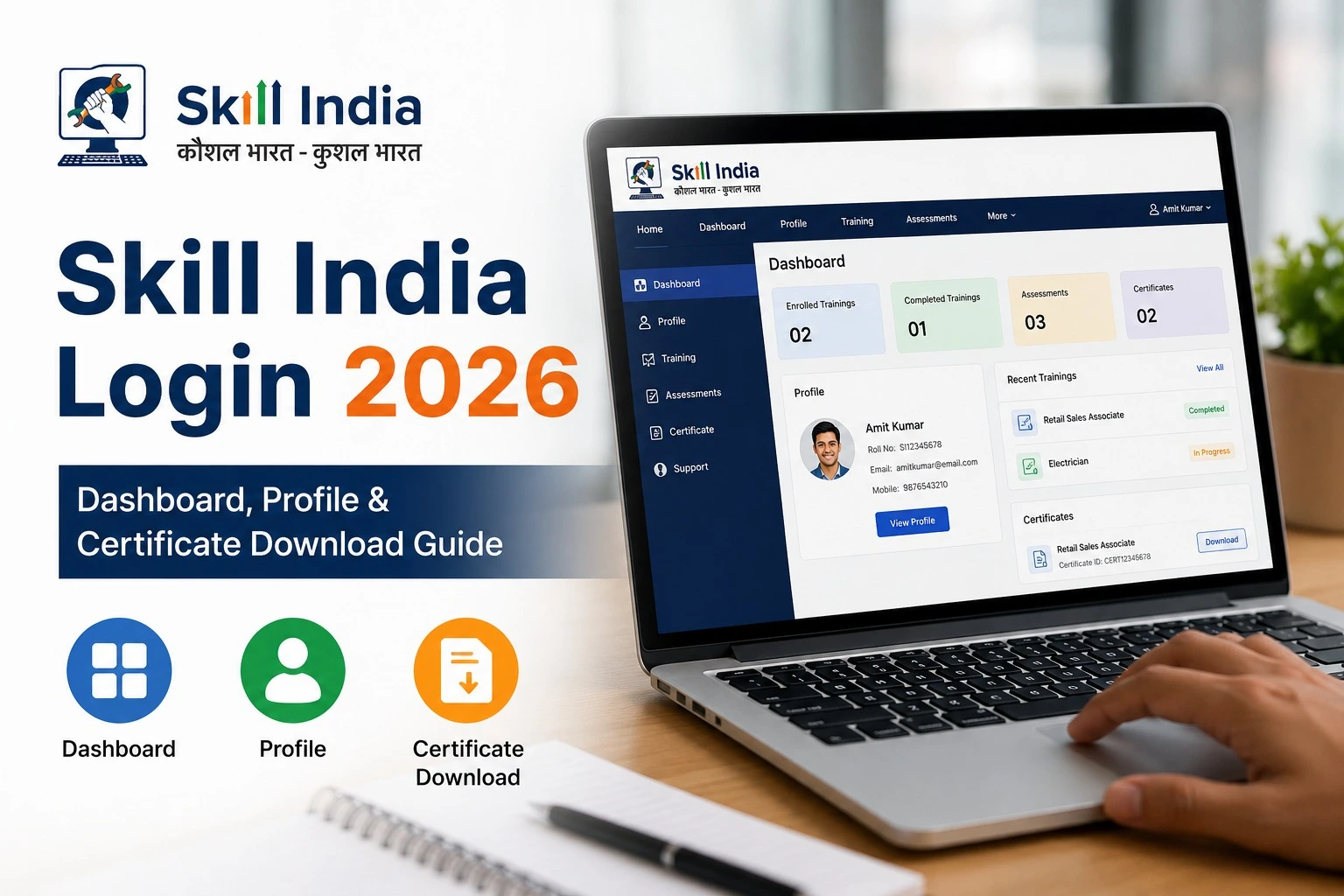
The Skill India Dashboard is your personal learning space. After logging in, you can access various services from one place.
Dashboard Features
- View enrolled courses
- Continue learning
- Track course progress
- Update personal profile
- Apply for internships
- Search job opportunities
- Download certificates
- Manage learning history
- Check notifications
- View recommendations
How to Update Your Profile
Keeping your profile updated increases your chances of receiving relevant course and job recommendations.
Update Steps
- Login to Skill India.
- Open My Profile.
- Edit your personal details.
- Update educational qualifications.
- Add skills and work experience.
- Upload documents if required.
- Save the changes.
How to Download Skill India Certificate
After successfully completing an eligible course, you can download your certificate directly from the dashboard.
Certificate Download Process
- Login to Skill India.
- Open My Learning.
- Select the completed course.
- Click Certificate.
- Download the PDF.
You can use this certificate while applying for internships, apprenticeships, higher education, or employment opportunities.
Benefits of Skill India Login
Logging into your account allows you to:
- Access free and premium courses
- Receive personalized learning recommendations
- Download certificates
- Apply for internships
- Explore apprenticeship opportunities
- Search for jobs
- Track learning progress
- Manage your profile
- Access government-supported training resources
- Build industry-ready skills
Common Login Problems and Solutions
| Problem | Solution |
| OTP Not Received | Wait a few minutes and request a new OTP. Check that your registered mobile number is active. |
| Forgot Password | Use the “Forgot Password” option to reset your password. |
| Invalid Credentials | Ensure you are using the correct registered mobile number or email. |
| Website Loading Slowly | Refresh the page or try again later if traffic is high. |
Why Should You Keep Your Profile Updated?
A complete profile helps the platform recommend courses and opportunities that match your qualifications and interests. Employers and training providers may also use your profile information when considering applications.
Tips for Better Learning on Skill India
- Complete your profile after registration.
- Choose courses relevant to your career goals.
- Finish enrolled courses on time.
- Download certificates after course completion.
- Apply for internships and apprenticeships regularly.
- Check your dashboard for new opportunities.
- Update your skills whenever you complete new training.
Frequently Asked Questions (FAQs)
Is Skill India Login free?
Yes. Creating an account and logging into the platform is free.
Can I download certificates after completing a course?
Yes, certificates are available for eligible courses once you meet the completion requirements.
Can I apply for internships through Skill India?
Yes. The platform provides access to internship and apprenticeship opportunities, subject to eligibility.
Is Skill India useful for freshers?
Yes. Freshers can use the platform to learn new skills, earn certificates, and explore career opportunities.
Can working professionals use Skill India?
Yes. Professionals can upskill or reskill through available courses and improve their career prospects.
Conclusion
The Skill India Login portal is much more than a simple sign-in page. It provides access to learning resources, certificates, internships, apprenticeships, and employment opportunities through a single digital platform. Whether you are a student preparing for your first job or a professional looking to build new skills, regularly using your Skill India dashboard can help you stay connected with new learning and career opportunities.
Before applying for any course or opportunity, always review the latest information, eligibility requirements, and announcements available on the official Skill India portal