Skill India Login 2026: Official Portal Sign In, Registration, Dashboard & Certificate Download Guide
India’s digital skill ecosystem is growing rapidly, and the Skill India Login portal has become the central platform for learners, job seekers, professionals, and training providers. Whether you want to enroll in free government skill courses, update your profile, download certificates, or apply for job opportunities, everything starts with the official Skill India Login.
In this complete 2026 guide, you’ll learn how to register, sign in, recover your account, access the dashboard, download certificates, and solve common login problems. This article is based on the latest official portal information and is written in simple language for students, freshers, and job seekers.
What is Skill India Login?
Skill India Login is the secure sign-in system available on the official Skill India Digital platform. It allows registered users to access government skill development services through a single account.
After logging in, users can:
- Enroll in free skill development courses
- View available training programs
- Download certificates
- Track course progress
- Update personal details
- Apply for government-recognized skill programs
- Explore employment opportunities
The portal is designed to provide a single digital platform for skill development initiatives across India.
Skill India Login 2026 Highlights
| Particular | Details |
| Portal Name | Skill India Digital |
| Login Service | Skill India Login |
| Launched By | Ministry of Skill Development & Entrepreneurship (MSDE) |
| Registration Mode | Online |
| Login Method | Mobile Number / Email & OTP |
| Services Available | Courses, Dashboard, Certificates, Jobs |
| Certificate Download | Available after course completion |
| Official Website | https://www.skillindiadigital.gov.in |
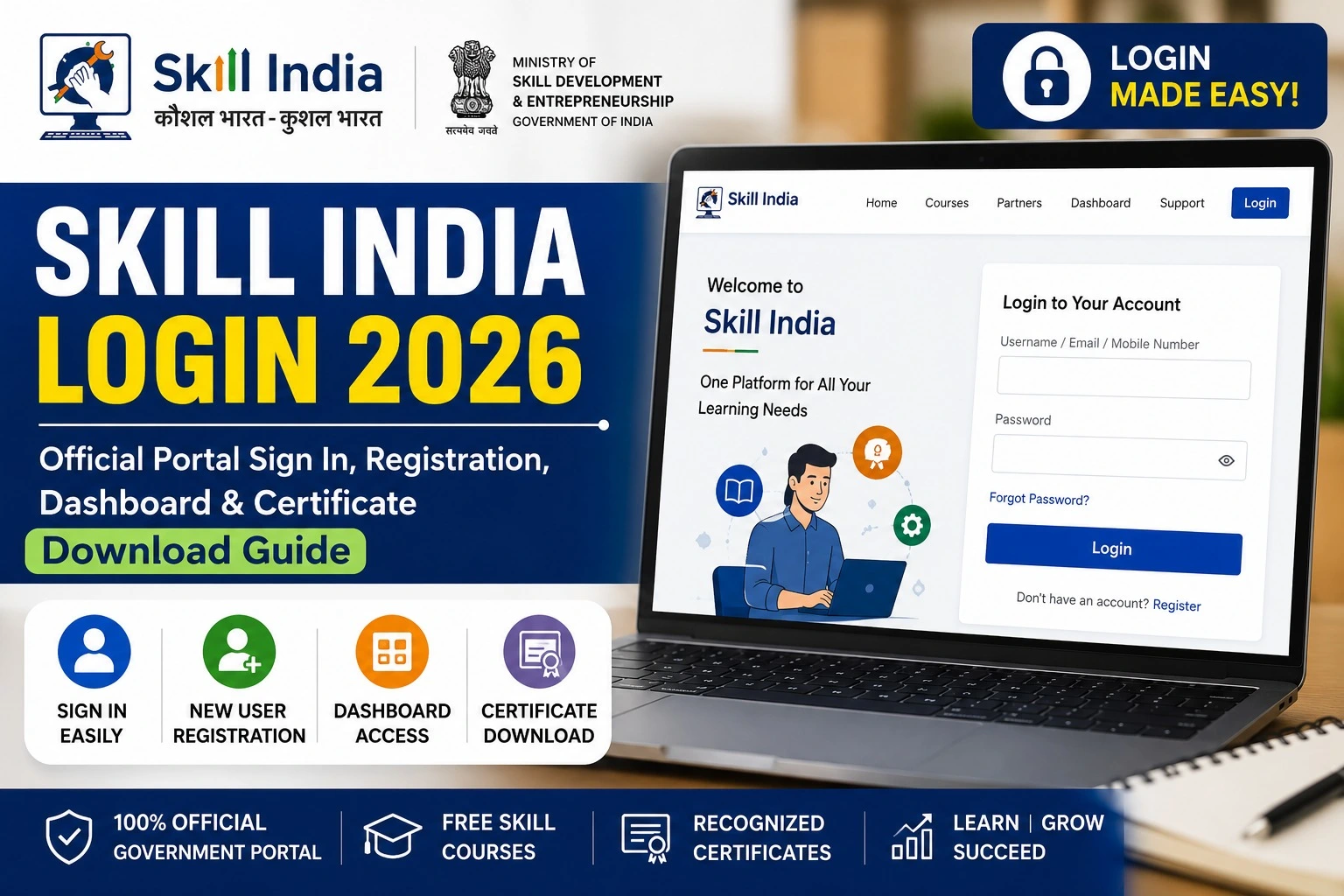
How to Complete Skill India Login?
Follow these simple steps to access your account.
Step 1
Visit the official Skill India Digital Portal.
Step 2
Click on Login available on the homepage.
Step 3
Enter your registered mobile number or email.
Step 4
Verify using OTP or password.
Step 5
Click Sign In.
Once verified, your Skill India Dashboard will open instantly.
Skill India Registration 2026
If you are a new user, registration is completely free.
Registration Process
- Open the official portal.
- Click Register.
- Enter your mobile number.
- Verify using OTP.
- Fill in your personal information.
- Add educational qualifications.
- Select preferred skills.
- Submit the application.
After successful registration, you can log in anytime.
Skill India Dashboard Features
After logging into the dashboard, users can access several useful services.
| Dashboard Feature | Purpose |
| Profile Management | Update personal information |
| Course Enrollment | Join new courses |
| Learning Progress | Track completed modules |
| Certificates | Download certificates |
| Job Opportunities | Apply for available jobs |
| Assessments | Attend online assessments |
| Notifications | Receive latest government updates |
How to Download Skill India Certificate?
Candidates who successfully complete eligible training programs can download their digital certificates.
Steps
- Login to your account.
- Open Dashboard.
- Click Certificates.
- Select completed course.
- Click Download Certificate.
- Save the PDF.
Always verify your details before downloading the certificate.
Forgot Skill India Login Password?
If you’re unable to access your account:
- Click Forgot Password
- Enter registered mobile number
- Verify OTP
- Create a new password
- Login again
The recovery process usually takes only a few minutes.
Benefits of Skill India Login
Using a Skill India account offers several advantages:
- Easy access to government-approved skill courses
- Digital certificates after course completion
- Centralized dashboard for all activities
- Online assessments
- Job and apprenticeship opportunities
- Profile management
- Mobile-friendly portal
- Secure login through OTP
Documents Required for Registration
Keep these documents ready before registration.
| Document | Required |
| Aadhaar Card | Yes |
| Mobile Number | Yes |
| Email ID | Yes |
| Passport Size Photo | Optional |
| Educational Certificates | Yes |
| Identity Proof | Yes |
Common Skill India Login Issues and Solutions
| Problem | Solution |
| OTP not received | Wait a few minutes and request OTP again |
| Incorrect Password | Use Forgot Password option |
| Account Locked | Contact portal support |
| Website Not Opening | Clear browser cache or try another browser |
| Dashboard Not Loading | Refresh the page or log in again |
Who Can Register?
The Skill India platform is open to:
- School students
- College students
- Graduates
- ITI students
- Diploma holders
- Working professionals
- Job seekers
- Entrepreneurs
- Women candidates
- Rural youth
Why Skill India Login Matters in 2026
The Government of India continues to strengthen digital skill development through integrated online platforms. A single Skill India account simplifies access to learning, certification, career guidance, and employment opportunities.
As more government services become digital, maintaining an updated Skill India profile helps candidates stay informed about new courses, assessments, internships, and recruitment opportunities.
Tips for a Smooth Login Experience
- Always use your registered mobile number.
- Keep your email ID updated.
- Do not share your OTP with anyone.
- Use a secure internet connection.
- Regularly update your profile.
- Download certificates after course completion.
- Check dashboard notifications for new opportunities.
Frequently Asked Questions (FAQs)
Is Skill India Login free?
Yes. Registration and login are completely free for eligible users.
Can I register using only my mobile number?
Yes. Mobile number verification through OTP is supported.
How can I download my Skill India certificate?
Login to your dashboard, open the Certificates section, and download the available certificate.
Can I apply for multiple courses?
Yes. Eligible users can enroll in multiple available courses based on portal guidelines.
Is the Skill India portal available across India?
Yes. The portal is available for users from all states and union territories.
Official Portal Information
| Service | Official Link |
| Skill India Digital Portal | https://www.skillindiadigital.gov.in |
| Ministry of Skill Development & Entrepreneurship | https://www.msde.gov.in |
| National Skill Development Corporation (NSDC) | https://www.nsdcindia.org |
Final Words
The Skill India Login 2026 portal serves as a single gateway to India’s digital skill development ecosystem. From registration and course enrollment to dashboard management and certificate downloads, the platform offers a streamlined experience for learners across the country.
If you’re planning to build new skills, earn government-recognized certifications, or explore career opportunities, creating and maintaining your Skill India account is an important first step. Always use the official portal for registration and login, keep your profile updated, and regularly check the dashboard for new courses and announcements.